
You know that moment when you’re using an app and it feels like it gets you? Like it’s been tailored to your weird habits and secret frustrations?
That’s not magic—it’s UX research done right. And no, it’s not just about making sure people can click the right buttons.
Let’s break it down like we’re dissecting a burrito: usability testing is the tortilla (essential but basic), and real UX research is the juicy filling of carnitas, salsa, and guac. You can’t have a killer burrito without both.
Why We Need to Stop Confusing UX Research with Usability Testing
Here’s the problem: most teams treat UX research like a fire extinguisher. They only pull it out when something’s burning (i.e., users are rage-quitting their app). But real UX research isn’t just damage control—it’s preventive care for your product.
The Usability Testing Trap
What it does well: Catches glaring issues. “Why are 60% of users abandoning their carts? Oh, the checkout button’s invisible.”
Where it falls short: Doesn’t tell you why people came to your site in the first place, or why they’d pick you over the competition.
Example: A fitness app team ran usability tests and fixed all the broken flows. But retention still sucked. Why? Turns out, users didn’t care about logging workouts—they wanted to feel part of a community. The fix? Adding social challenges, not smoother buttons.
UX Research: The Unsexy Truth About Building Great Products
Forget lab coats and clipboards. Real UX research is messy, human, and fascinating. It answers questions like:
- Why does my user’s hands shake when they open our banking app?
- What does a “good day” look like for someone using our project management tool?
- How do cultural differences make our feature a hit in Brazil but a flop in Japan?
The Framework Most Teams Miss
- What people SAY (interviews, surveys)
- What people DO (analytics, eye-tracking)
- What people FEEL (facial coding, tone analysis)
- What people NEED (hidden patterns even they don’t realize)
Example:
- What users said: “I want faster grocery delivery!”
- What they did: Abandoned carts even with 15-minute delivery.
- What they felt: Anxiety about delivery workers rushing.
- What they needed: A “no rush” option with eco-friendly packaging.
Usability Testing’s Role: The Floor, Not the Ceiling
Think of Usability Testing as your product’s basic hygiene. You wouldn’t skip brushing your teeth, but you also wouldn’t call it a personality.
When to Use It Like a Pro
- Early concept testing: Paper prototypes, Figma mockups
- Pre-launch gut check: “Can users actually book a ride in 3 clicks?”
- Post-launch tweaks: “Why are people ignoring our new feature?”
Pro tip: Pair usability tests with emotional heatmaps. Tools like Affectiva can show if users are frustrated, bored, or delighted—even if they say “It’s fine.”
The Secrets UX Research Uncovers
1. The “I’m Fine” Lie
Users will tell you your app is “easy to use” while secretly hating it. How to catch them?
- Diary studies: Have users log their experiences in the moment.
- Shadowing: Watch someone use your app while making dinner. Chaos reveals the truth.
Example: A meal kit service did diary studies and discovered users loved their recipes… but felt guilty about packaging waste. They added recycling guides and saw referrals spike.
2. The Office vs. Real World Divide
Lab testing = users politely clicking. Real-world = screaming kids, bad Wi-Fi, and multitasking.
Fix: Do contextual inquiry. Give users a task and watch them try it in their car, on the subway, or during their kid’s soccer game.
Example: Spotify found people skip songs faster in the car. They tweaked voice controls so drivers could shout “SKIP!” without crashing.
3. The Hidden Cultural Rules
A feature that’s polite in one country might be offensive in another.
Example:
- In the U.S., emojis feel friendly in apps.
- In Japan, color symbolism matters deeply (red = danger, not passion).
- In Germany, users prefer hyper-detailed instructions over playful tooltips.
How to Bake UX Research Into Your Process (No PhD Required)
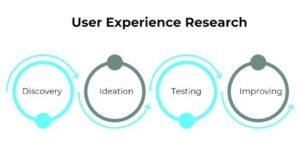
UX research isn’t just a single phase in your project—it’s a living, breathing part of the product lifecycle. Think of it as a marathon with pit stops, not a sprint with a photo finish.
1. Empathize (aka Discovery)
Forget the whiteboards—step into your users’ lives.
Goals:
- Understand user environments, behaviors, and pain points
- Uncover latent needs those things users don’t say, but deeply feel
Research Methods:
- Ethnographic studies: Spend a day with users. Watch how your product (or competitors’) fits—or clashes—with their routine.
- In-depth interviews: Don’t just ask “What do you need?” Ask “Tell me about the last time you tried to solve this problem.”
- Contextual inquiries: Observe users in their natural environment while they perform relevant tasks.
- Diary studies: Let users record their experiences over time to surface deep-rooted behaviors.
Real-World Tip:
Notion discovered people were using their product for everything from wedding planning to D&D campaigns. Instead of narrowing focus, they leaned into flexibility—and won.
2. Define
You’ve collected rich insights. Now it’s time to turn chaos into clarity.
Goals:
- Identify core problems worth solving
- Create research-backed personas and user journey maps
Research Methods:
- Affinity mapping: Group interview quotes and behaviors to spot patterns
- Empathy maps: Capture what users say, do, think, and feel
- Surveys: Gather attitudinal data at scale
- Thematic analysis: Identify recurring themes from qualitative data
Pro Insight:
This is the most skipped phase—and the most powerful. Don’t just define a problem like “make onboarding easier.” Say, “Users feel overwhelmed by finance jargon within 3 clicks.” That’s when design gets focused.
3. Ideate
Time to co-create not in an ivory tower, but on napkins, Figma files, or sticky notes.
Goals:
- Generate potential solutions, fast
- Let users help shape features before they’re set in stone
Research Methods:
- Co-creation workshops: Let users sketch interfaces or prioritize features
- Card sorting: Understand how users mentally organize info
- Participatory design sessions: Test early-stage features or prototypes
Pro Tip:
Users may not know what they want, but they’ll recognize what feels intuitive. Let instinct and interaction guide you.
4. Design & Test
This is where design meets reality—and usability gets its moment.
Goals:
- Check if users can actually use what you’ve designed
- Identify friction, confusion, or emotional drop-off points
Testing Prototypes
Design isn’t complete until it’s tested in the real world—or at least with real users. Prototypes give your concepts shape, but testing reveals if they actually work. Here’s how to dive into that process:
Research Methods:
- Usability testing (moderated or unmoderated): Observe how users interact with your prototype. Note where they succeed and where they stumble.
- Think-aloud protocol: Ask users to verbalize their thoughts as they navigate
- A/B preference testing: Compare variations of UI elements
- Emotional layer testing: Use tools like Affectiva for facial sentiment analysis to spot moments of frustration
Bonus Insight:
If your user says “yeah, it’s fine” but their facial expression says “ugh,” trust the face. That’s where the magic (or pain) hides.
5. Post-Launch (Yes, the Research Still Isn’t Over)
Congrats—you shipped it. Now the real UX research begins.
Goals:
- Track real-world usage over time
- Discover unmet needs or underused features
- Optimize the conversion funnel across user journeys
Research Methods:
- Sentiment analysis: Use tools like Meltwater or Brandwatch to monitor social and app store feedback
- Diary studies: Understand long-term behaviors
- Repeated usability testing: Identify if changes introduced new problems
- Analytics: Monitor funnels, drop-off points, retention, and engagement
- Follow-up interviews: Dig into unexpected patterns you see in data
Example Insight:
A delivery app noticed users were nervous about drivers rushing—even though delivery times were fine. They added a “no rush” toggle with eco-friendly incentives. Boom: conversion and customer trust skyrocketed.
Why This All Matters (Besides Avoiding Dumb Mistakes)
Companies that do deep UX research:
- Build cult-like followings (See: Glossier’s beauty community)
- Spot trends before competitors (Duolingo saw the “5-minute habit” wave coming)
- Save a ton
But the real win? Making tech that feels human. Not just “easy to use,” but meaningful.
Stop guessing what users want—discover it with real research. Book a consultation!
Typical project duration: 4–8 weeks, depending on scope.

At UX Prosperar, we don’t believe in one-size-fits-all. Every project has its own goals, users, and challenges, so the services we use depend on your specific requirements. Here’s how our offerings fit together to create products that both look stunning and work flawlessly.
1. UI/UX Design for Web, Mobile & SaaS
We design responsive, conversion-focused interfaces that adapt seamlessly across devices and platforms, whether it’s a corporate website, a mobile app, or a SaaS dashboard.
Often paired with:
- UX Research to understand your users before designing
- Wireframing to map the user journey before final visuals
2. UX Design and Research
Before any pixels are drawn, we dig into user interviews, usability testing, competitor analysis, and data review. This ensures every design choice is validated and goal-driven.
Often paired with:
- Customer Journey Mapping to align every touchpoint
- Usability Studies for deeper, real-world user insights
3. User Interface Design & Product Design
We simplify complex workflows into clear, user-friendly interfaces, from mobile apps to enterprise software. Our goal is to make interaction effortless and intuitive.
Often paired with:
- Design Sprints to rapidly prototype and validate ideas
- Content Strategy & UX Copywriting to ensure words guide users naturally
4. Product Design Services & Product Development Consulting
For startups and enterprises, we can support the entire journey, from early ideation to launch. You decide how deep we get involved.
Often paired with:
- Wireframing & Prototyping for early validation
- Usability Testing before development investments
5. Wireframing & Interactive Prototypes
Before code, we bring your product to life in clickable prototypes. This lets you test, iterate, and refine early, saving development time and cost.
Often paired with:
- UX Research to validate the flow with real users
- Design Systems to ensure consistency when scaling
6. Usability Testing & Usability Studies
We go beyond theory. We put your product in front of real users and watch how they interact. From quick hallway tests to in-depth usability studies, we gather insights that refine your product to be intuitive, smooth, and conversion-friendly.
Often paired with:
- UX Audits for a full product health check
- Customer Journey Mapping to ensure every touchpoint works together
7. Customer Journey Mapping
We map every step your users take before, during, and after using your product. This ensures all touchpoints feel connected and intentional.
Often paired with:
- Content Strategy / UX Copywriting to guide actions
- UI Design to visually align with the journey
8. Content Strategy / UX Copywriting
The right words help users take the right action. We craft microcopy, onboarding text, CTAs, and content flows that improve usability and conversions.
Often paired with:
- Design Sprints to test language quickly
- UI Design for perfect visual-text alignment
9. Design Sprints
When you need to move fast without compromising quality, we run focused 4-5 day sprints to rapidly ideate, design, prototype, and test ideas.
Often paired with:
- Wireframing & Prototyping for sprint outcomes
- Usability Testing to validate the sprint output
10. UX Audits
Is your product underperforming? We analyze it from usability, accessibility, and conversion standpoints to identify and fix issues.
Often paired with:
- Usability Testing for deeper user insights
- Customer Journey Mapping to spot big-picture issues
For some clients, the focus might be solely on UX Research + Wireframes. For others, it’s a full end-to-end process from research to product launch. The service mix is tailored to your goals, budget, and timeline. Each service is designed to work seamlessly with others for maximum impact.
UX Prosperar: UI/UX Design Agency With a Difference
- Consistent & Scalable Design Systems that grow with your product
- Cross-Device UX & UI Design Services for mobile, web, desktop, and SaaS
- Fast Prototyping & Iteration: see results early and often
- Developer-Ready Assets for smooth handoff and faster builds
Why Choose UX Prosperar for UI/UX Design?
Most agencies focus only on visuals. We start with research-led UX design, understanding your users, your business model, and your market, so your product doesn’t just look great, it performs.
Here’s why our clients love working with us:
- User-Friendly Interfaces – Websites, apps, and dashboards that feel effortless & responsive to use
- Scalable Design Systems – Future-proof designs that grow with your product
- Developer-Ready Deliverables – Clear, organized assets for smooth handoff
- Fast & Transparent Process – See results early, give feedback often
Industries We Serve
SaaS • E-Commerce • FinTech • HealthTech • Logistics • B2B Tools • Corporate Websites
Let’s Design a Product Your Users Will Love
Don’t risk launching a product that confuses users or loses them at the first click.
With UX Prosperar’s UI/UX strategic design services, you’ll get a hybrid, responsive, and scalable design backed by real user insights.
Book Your UX Audit Today
Let’s talk about how we can turn your digital product into something people want to use.